

In this quick tutorial we show you how to create a cinematic “Harry Potter” style text effect using layer styles in Photoshop.
Related Posts
08
Mar2013
Create a Vector Film Slate Icon in Illustrator
What we are going to visit is a tutorial where we will learn how to draw the vector icon of a Ciak for film. The exercise uses some basic shapes,…
28
Nov2013
Create a Thanksgiving Illustration in Illustrator
Thanksgiving is here! In this tutorial you will create an American Pilgrim Father style character with bowl and roast turkey in Adobe Illustrator. Using only simple shapes – it’s an…
30
May2013
Create a Desk Lamp in Photoshop and Illustrator
La creazione di dispositivi meccanici da zero in Photoshop può essere un compito un pochino impegnativo. Nel tutorial che vedremo faremo un po’ di pratica disegnando una lampada in stile…
31
Dec2013
Create a Glamorous Champagne Illustration in Illustrator
Nel tutorial che andremo a seguire si giocherà con le miscele e i gradienti per creare un’elegante figura femminile con una calice di champagne in Adobe Illustrator. Per festeggiare al…
29
Jun2017
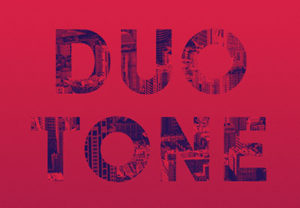
Quick & Easy Duotone Text Effect in Photoshop
The tutorial that we are going to follow shows how to use a consistency image and a gradient map, with some adjustment layers and filters in Adobe Photoshop, to create…
22
Apr2013

Creating a Realistic Cup of Coffee in Blender
A video tutorial in Blender for modeling a cup of coffee, it is a very detailed lesson to get a complete set of cup, spoon, saucer and of course the…
